
464 Extensions, Ready Out of the Box: The New PostgreSQL Extension Catalog

Today I put Claude Code to work on another genuinely useful project: a completely new PostgreSQL extension catalog. You can find it at pigsty.io/ext.
This is already the catalog’s fifth incarnation. After a long detour, it has returned to the Hugo + Docsy stack used by the first version and has been folded back into the main Pigsty website. That journey is a story in its own right, which I will save for later. First, let us look at what this version actually does.
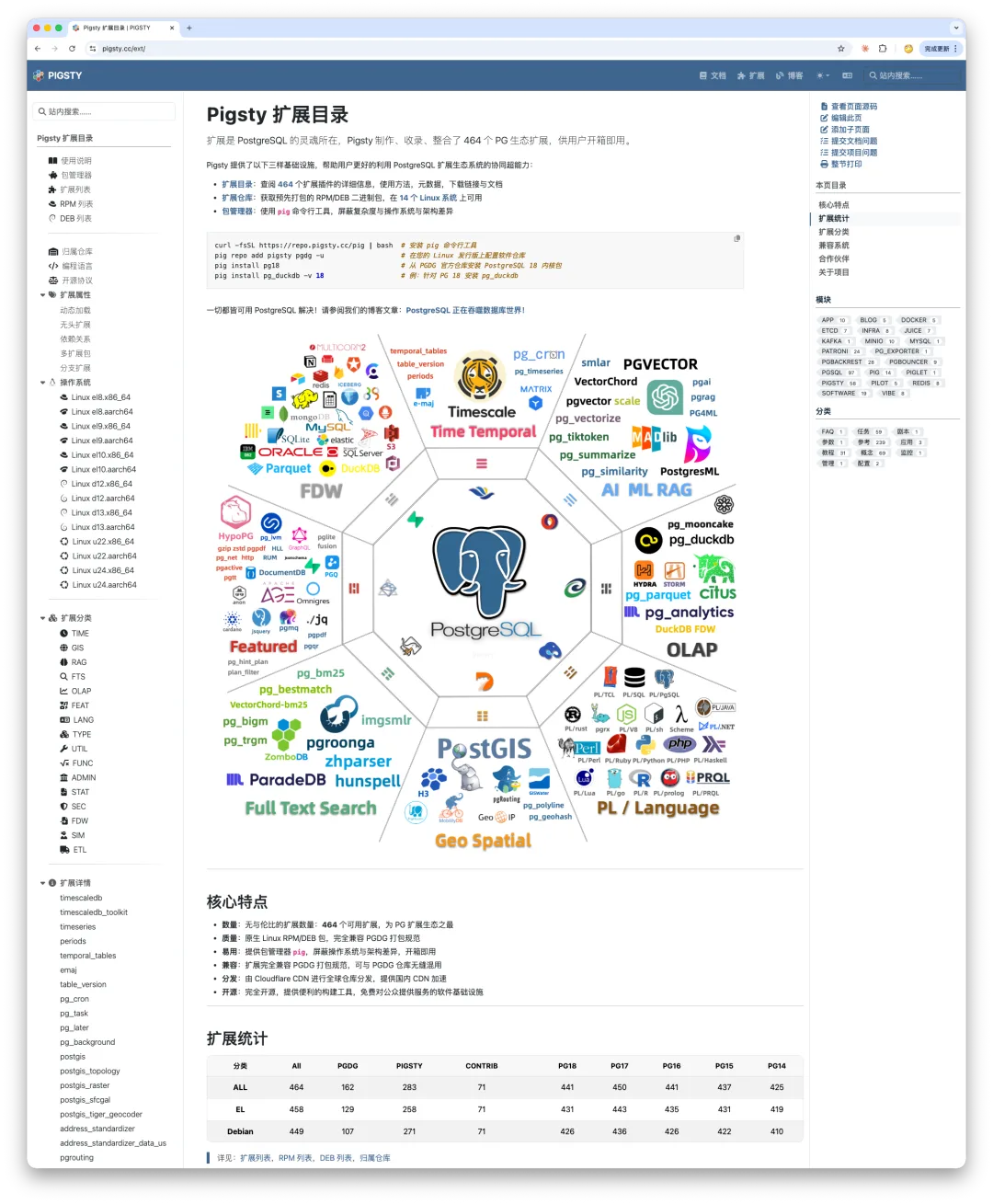
Not Just Packages, but Documentation Too
The old extension catalog answered a few basic questions: What is this extension called? Where is its metadata? Where can I download the binary packages? How do I install it with one command? Once it was installed, however, learning how to use it was your problem. Go find the documentation yourself.
This version is different. With AI’s help, we have begun systematically collecting and translating the documentation for all 464 extensions. The goal is to put the essential usage information for every extension in one place.
There are two broad cases:
For heavyweight extensions with enormous documentation sets, we will build dedicated translation sites. Citus, TimescaleDB, and PostGIS are good examples: each has enough documentation to fill a book and deserves its own treatment.
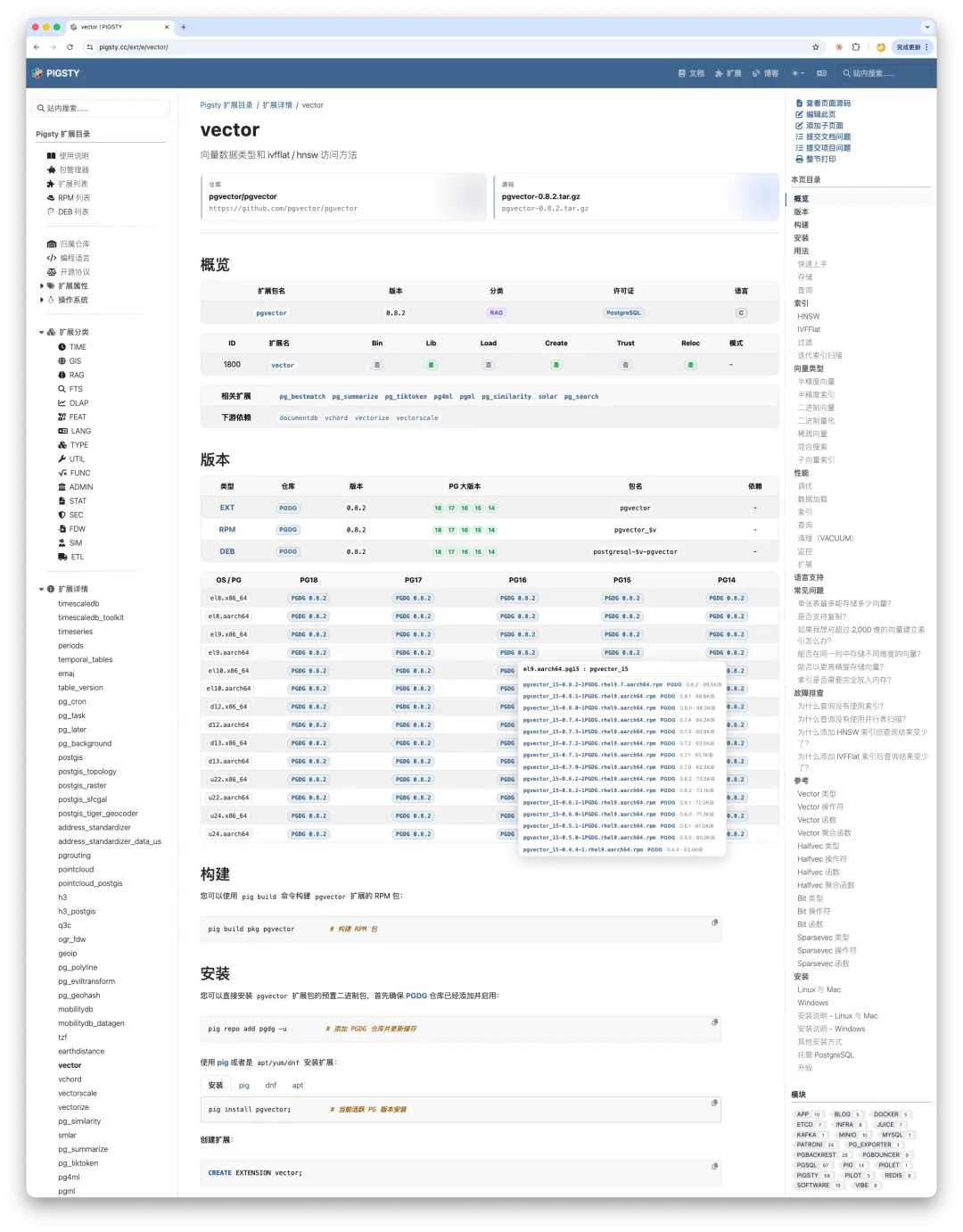
For most lightweight extensions, things are much simpler: their entire documentation set is often a single README. Take pgvector, one of the hottest vector extensions in the PostgreSQL ecosystem—its documentation fits on one page.
The same is true of pg_repack, an indispensable operations tool for removing table bloat online: its documentation is also a single Markdown page.
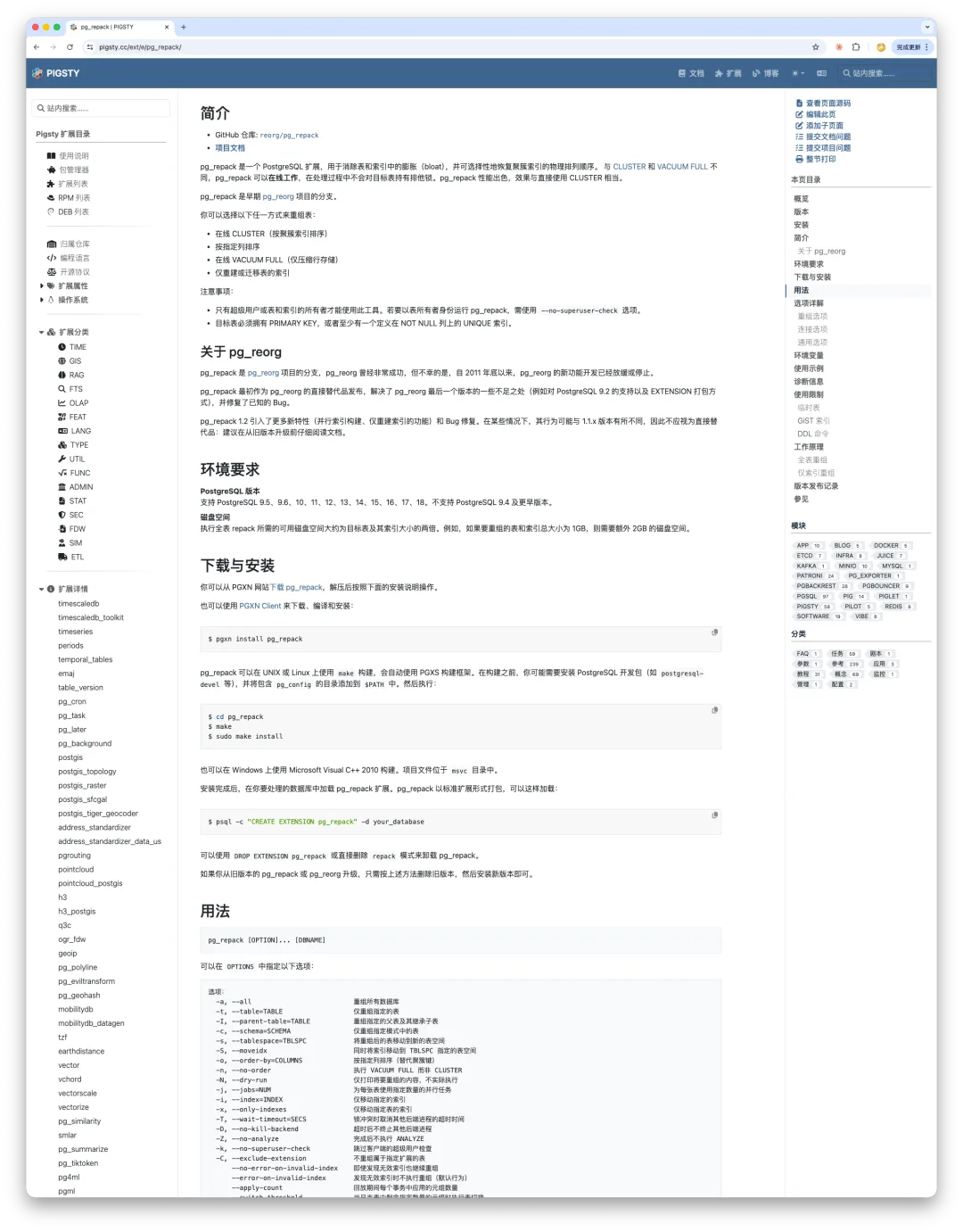
Our job is to collect all those READMEs and embed them in each extension’s detail page. Instead of bouncing between sites and digging through GitHub, you can consult the core documentation for every extension in one central place. For exceptionally large extensions, we will aggregate their information and indexes so that the catalog still provides an authoritative, dependable starting point.
The Chinese Pigsty site has already translated the documentation for PgBouncer, pgBackRest, and Patroni. We will gradually work through and maintain the rest—including PostgreSQL itself.
Translating the PostgreSQL Ecosystem’s Three Core Components in a Day
That is part of the larger vision: to become a dependable source of essential information for the PostgreSQL ecosystem.
To be honest, whenever I finish my “real work” with AI tokens left to burn, I spend them filling gaps like these. It is a useful backstop—and a little public service while I am at it.
Friendly to Agents and Humans Alike
Now let us look at how the catalog is designed.
Although the technology stack has come full circle to Hugo + Docsy, Claude Code makes it possible to build an excellent experience on a purely static site. I followed one core design principle: make it friendly to both AI agents and human readers.
Being agent-friendly means that the site’s source is public, written in Markdown, and subject to one hard rule: keep the noise down. Markdown should not be buried under raw HTML, shortcodes, or formatting clutter, all of which make the content harder for agents to parse and read.
Being human-friendly means organizing information into clear, attractive visual forms so that readers can spot issues quickly and focus on what matters.
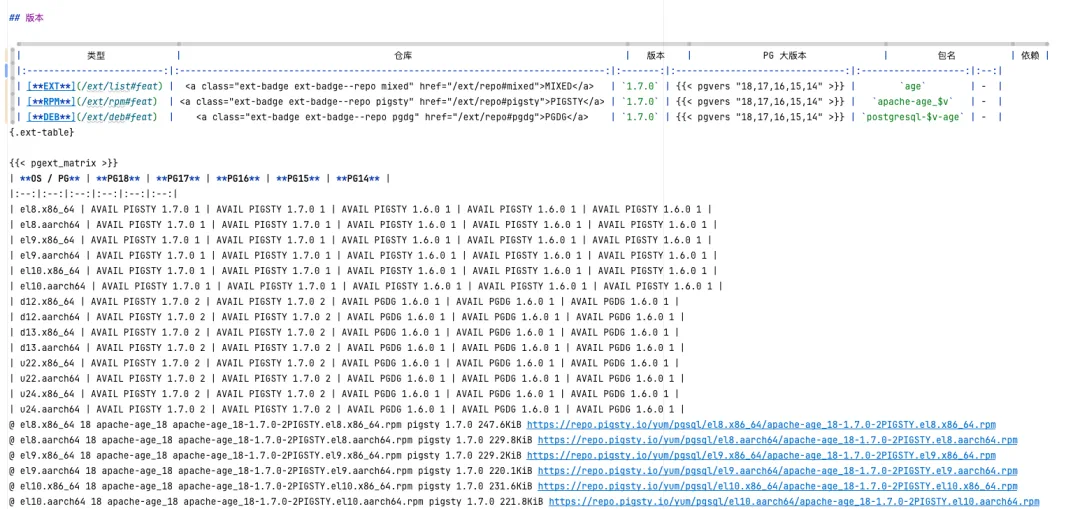
Here is one concrete example. In this version, we tried something genuinely useful: combining every extension into one large matrix. For each combination of PostgreSQL version and operating system, a cell tells you how many packages are available and which repository they come from. Click it, and you can download them directly.
Yet I did not build this with a maze of complex HTML. The source remains standard Markdown, wrapped only in a shortcode that performs the necessary transformation during the Hugo build. Custom CSS then turns the result into a polished presentation.
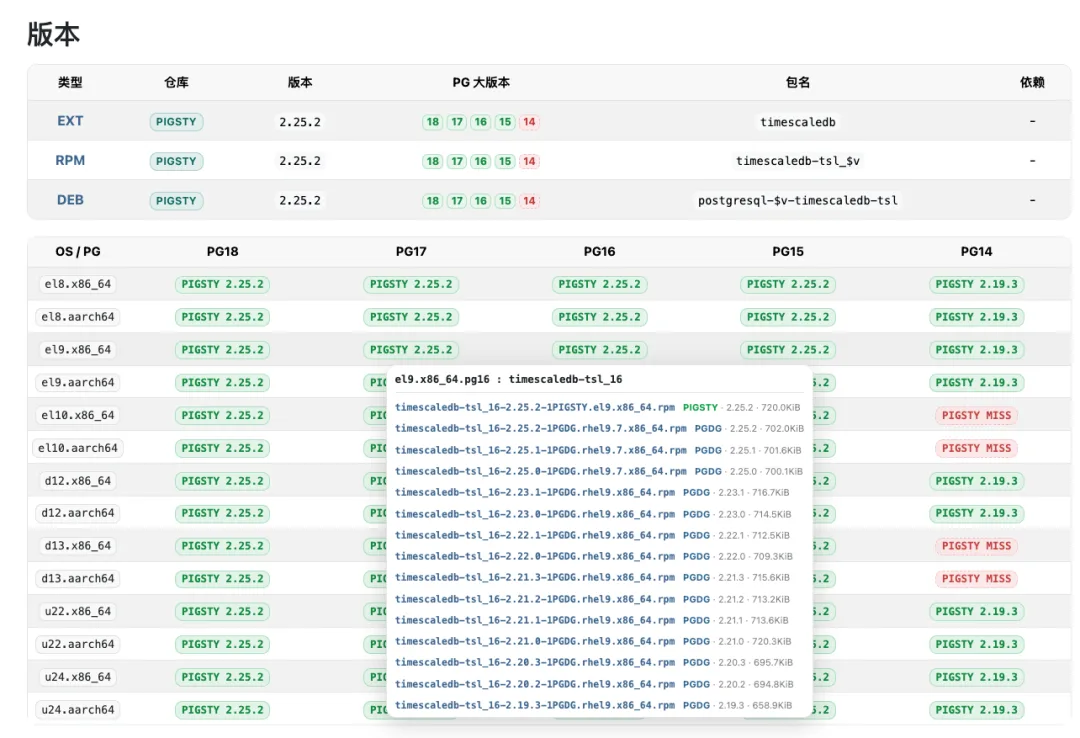
We also added a series of categorized indexes that expose extension metadata from different angles, making extensions much easier to find. Site search is considerably better than it was in earlier versions as well.
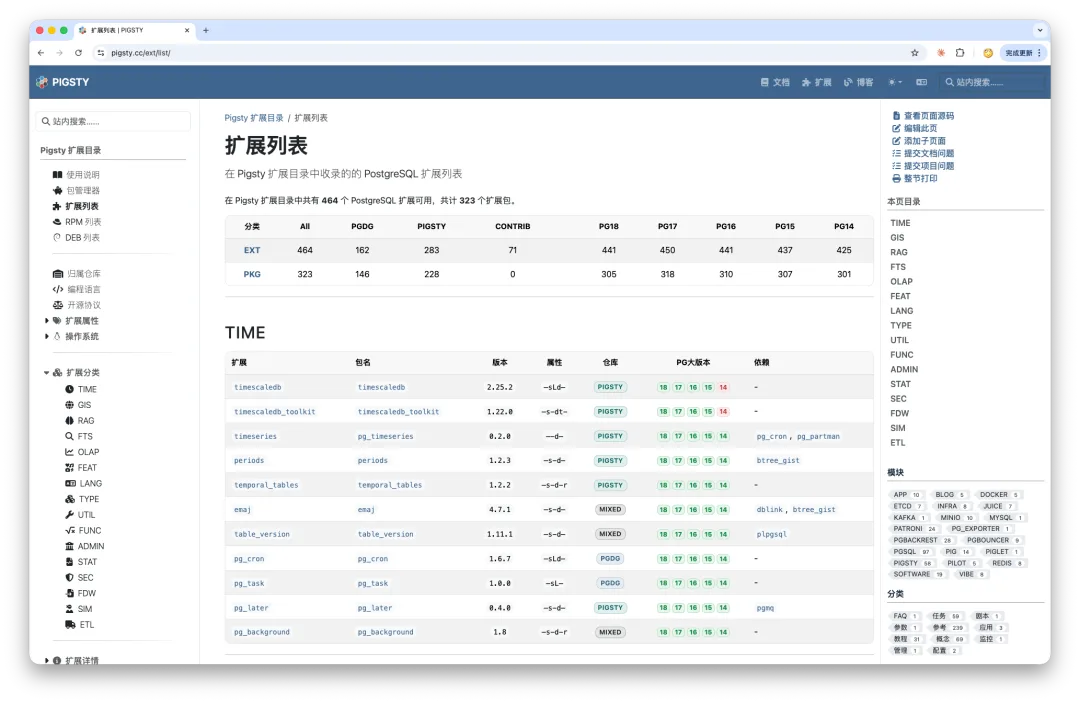
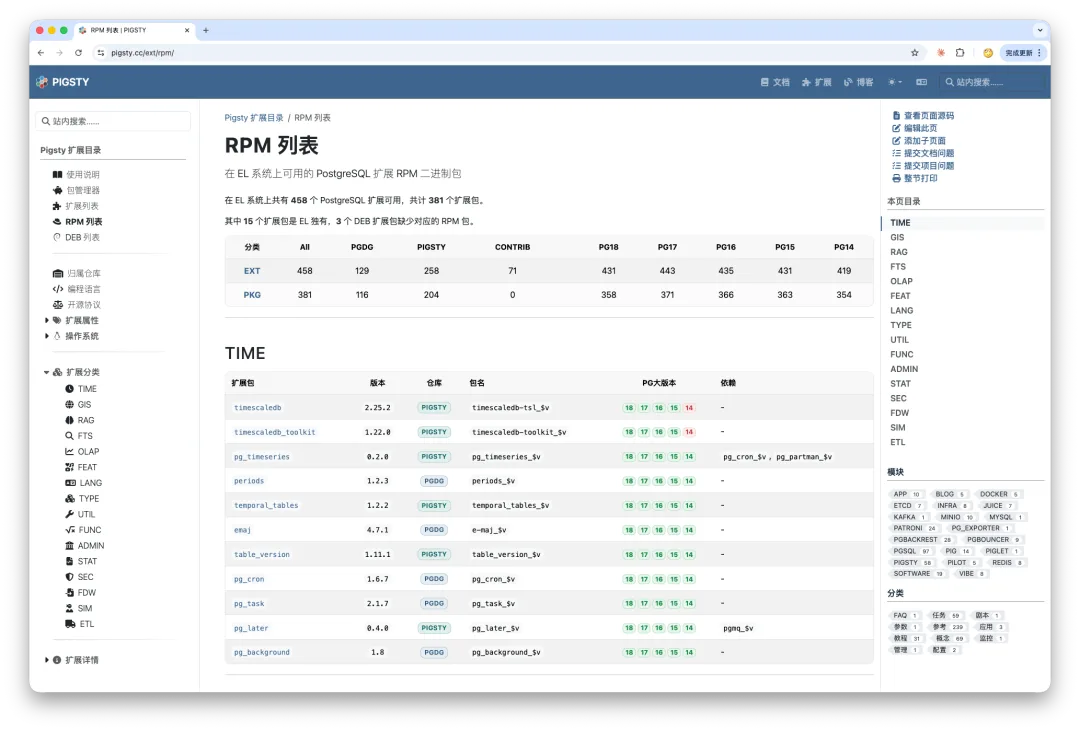
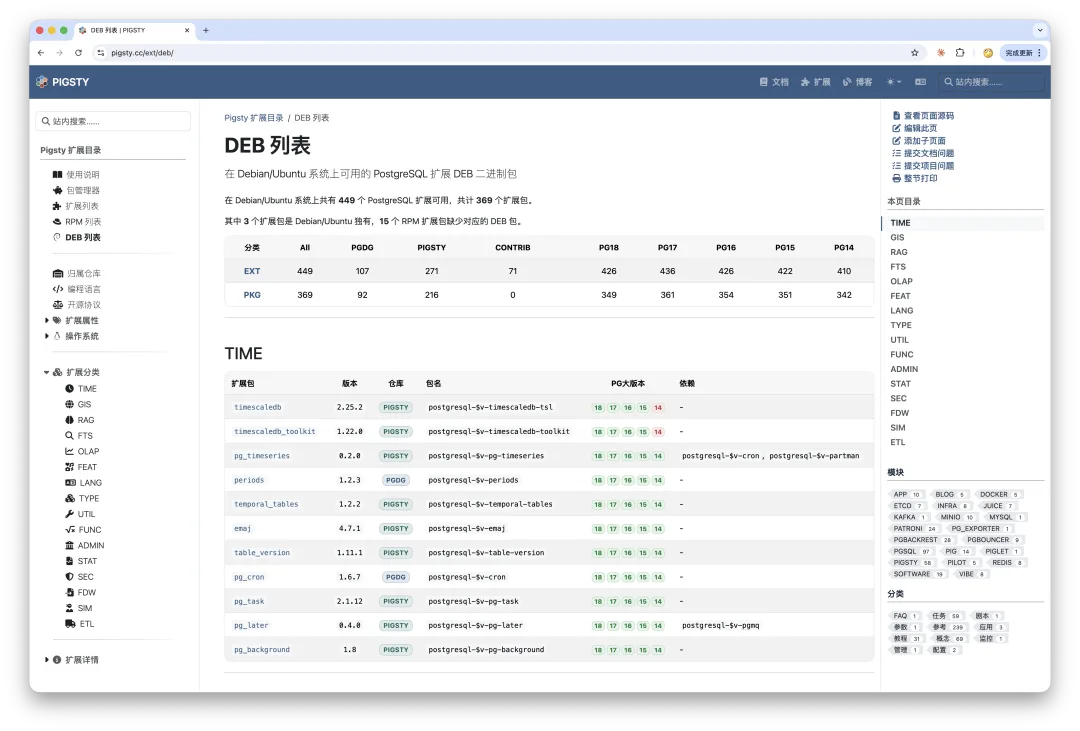
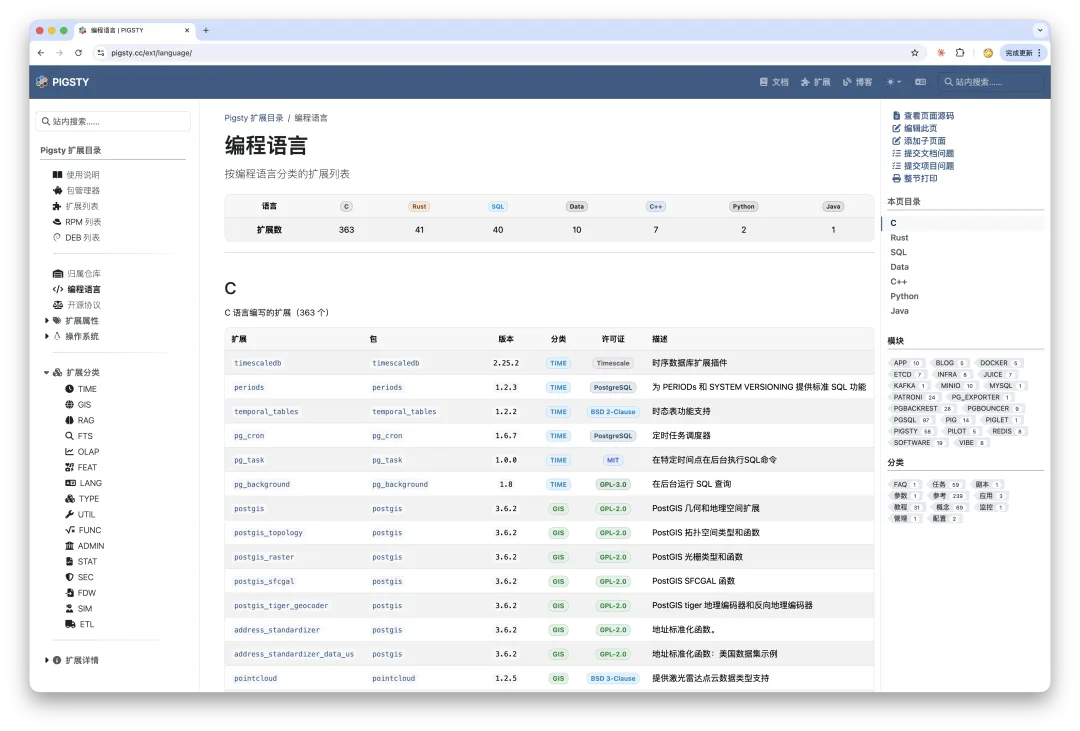
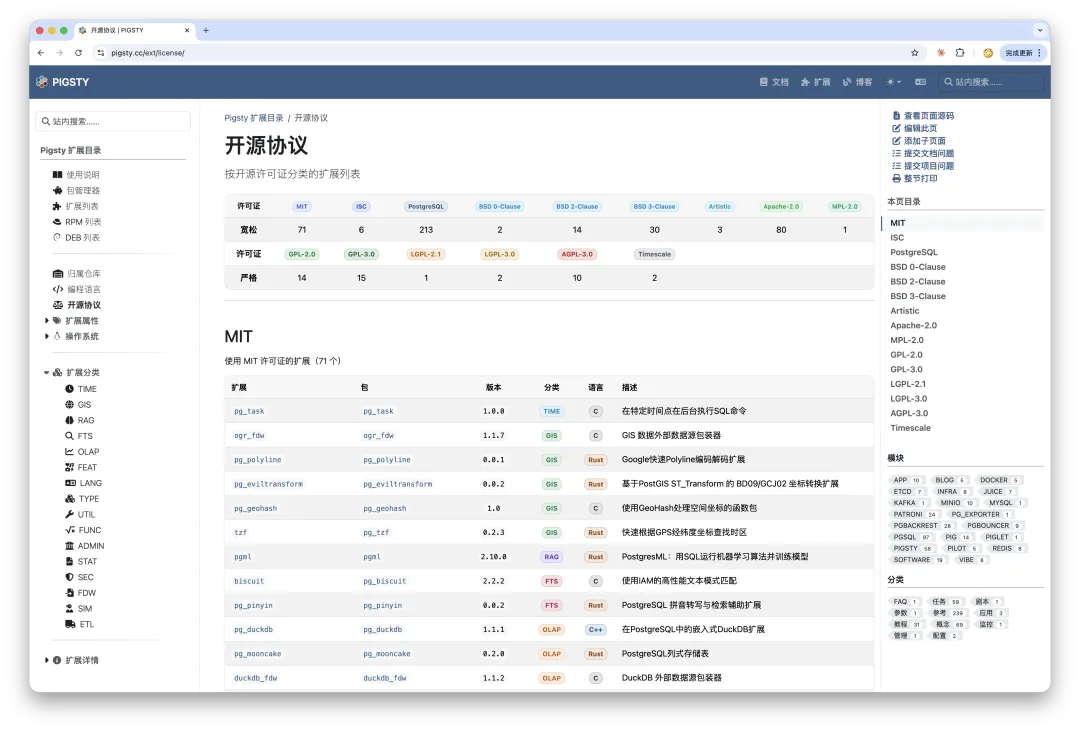
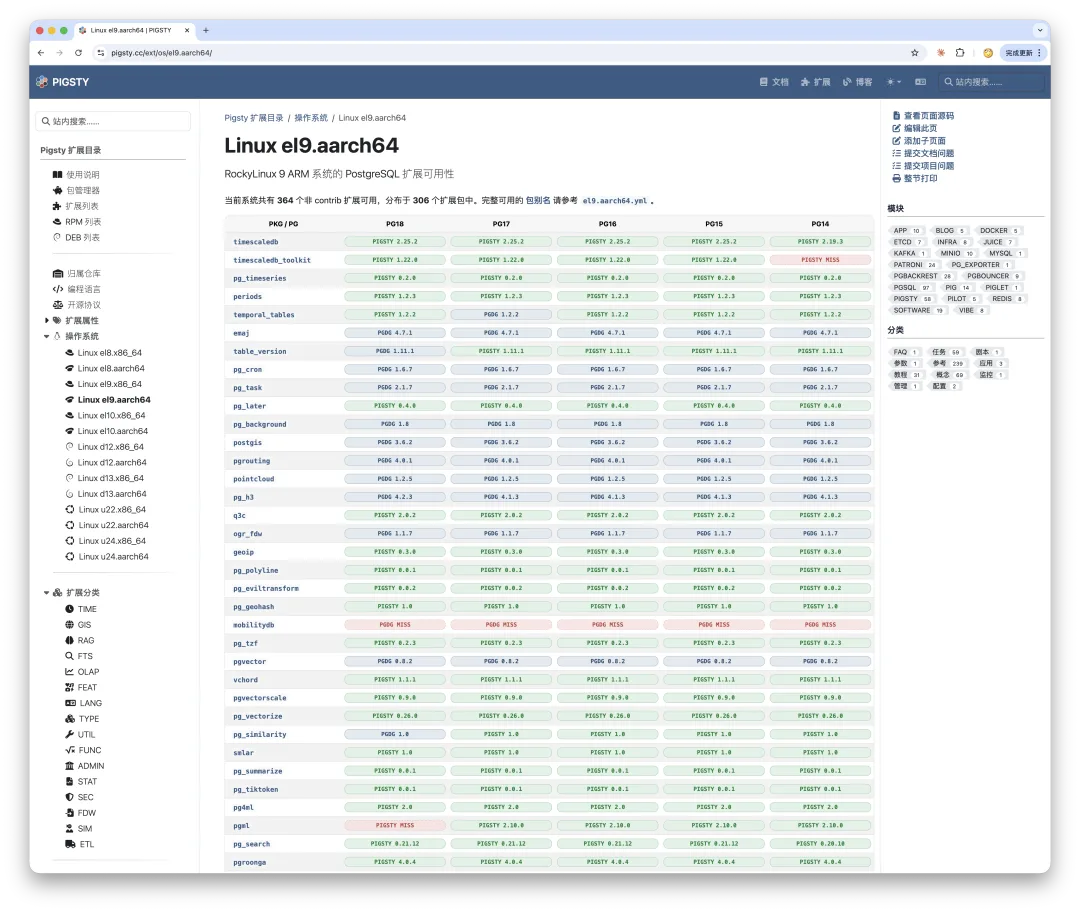
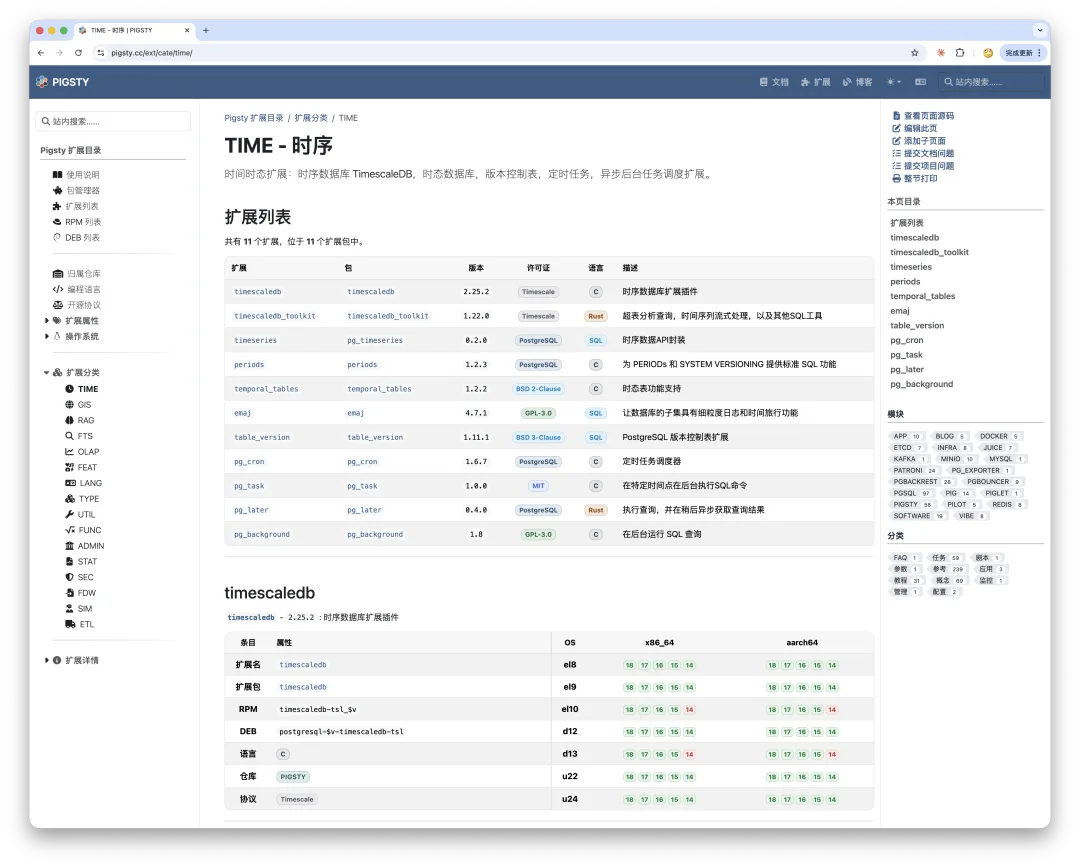
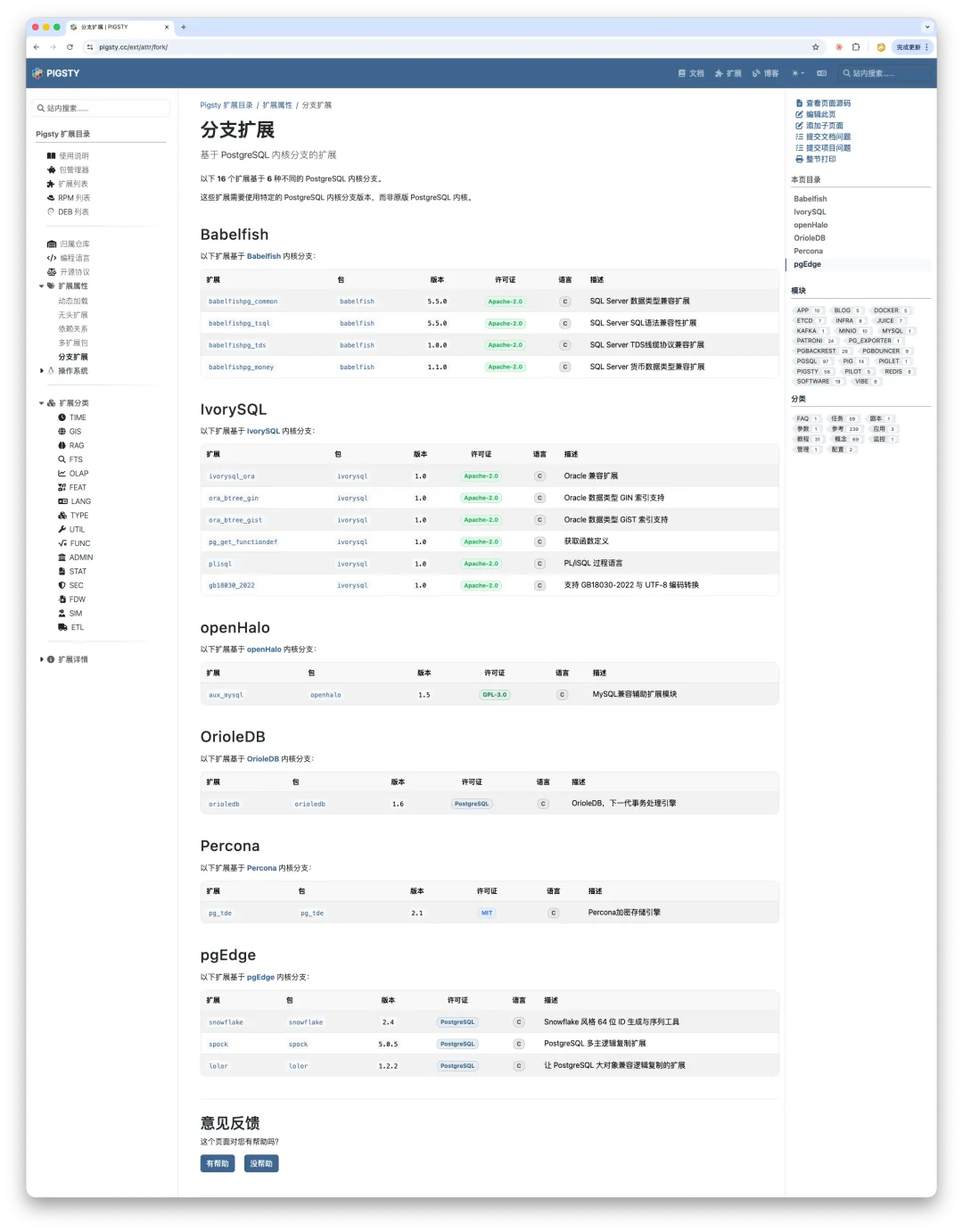
This time, we also included extensions that exist only in particular PostgreSQL forks:
Five Versions, Back Where We Started
There is one last topic—less technical, but more personal: choosing a documentation framework.
The extension catalog has gone through five versions:
- Hugo + Docsy—the original version, integrated into the main Pigsty site
- Docsify
- Next.js
- Hugo + Hextra—the standalone pgext.cloud site
- Hugo + Docsy—the current version, back on the main Pigsty site
The standalone pgext.cloud site lacked a Chinese ICP filing and was hosted on Cloudflare. Some users in mainland China reported unreliable access and suspected that it was blocked. After weighing the options, I decided it was better to use a registered domain and keep things straightforward.
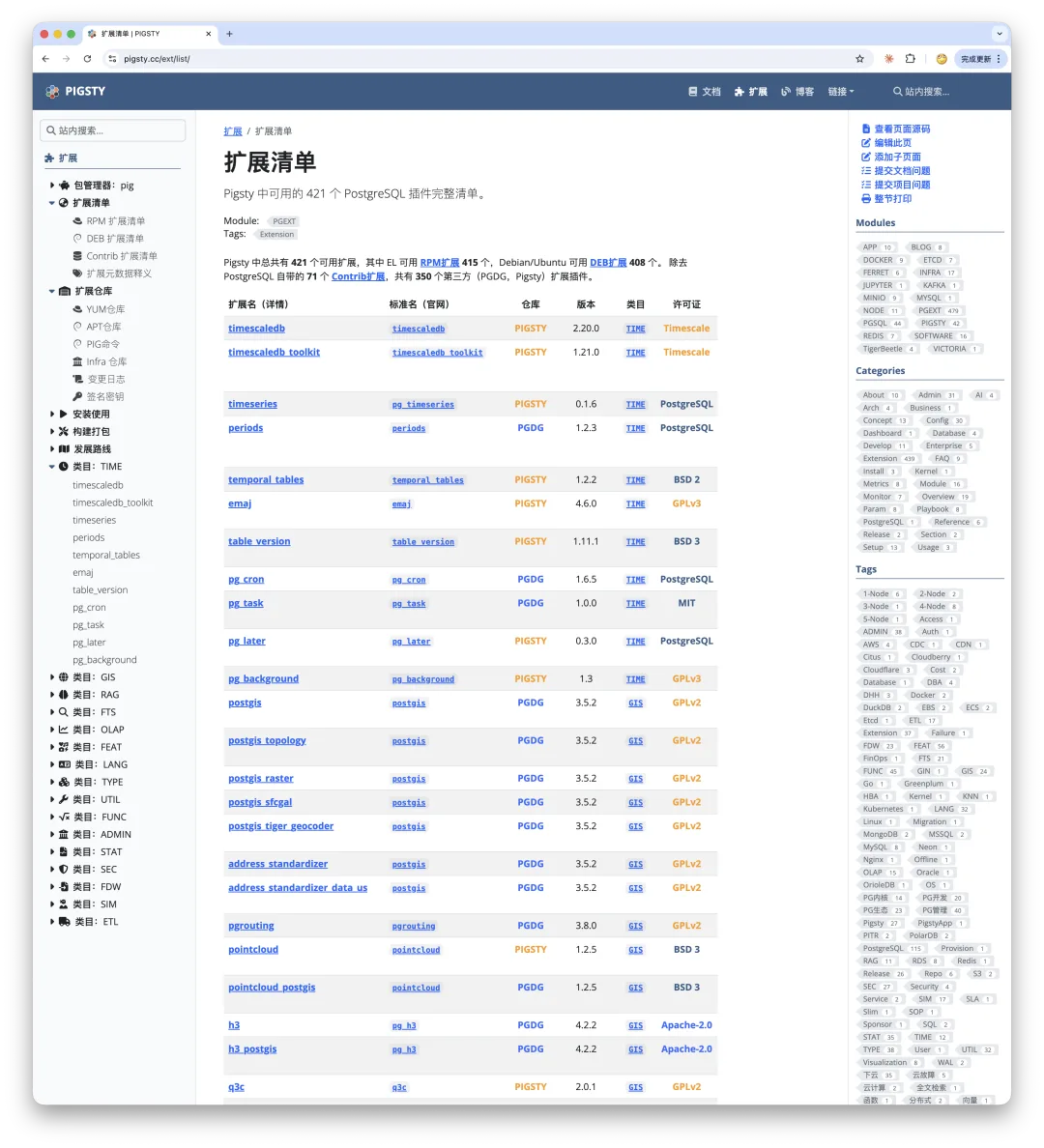
The first version: Hugo + Docsy, just like this one.
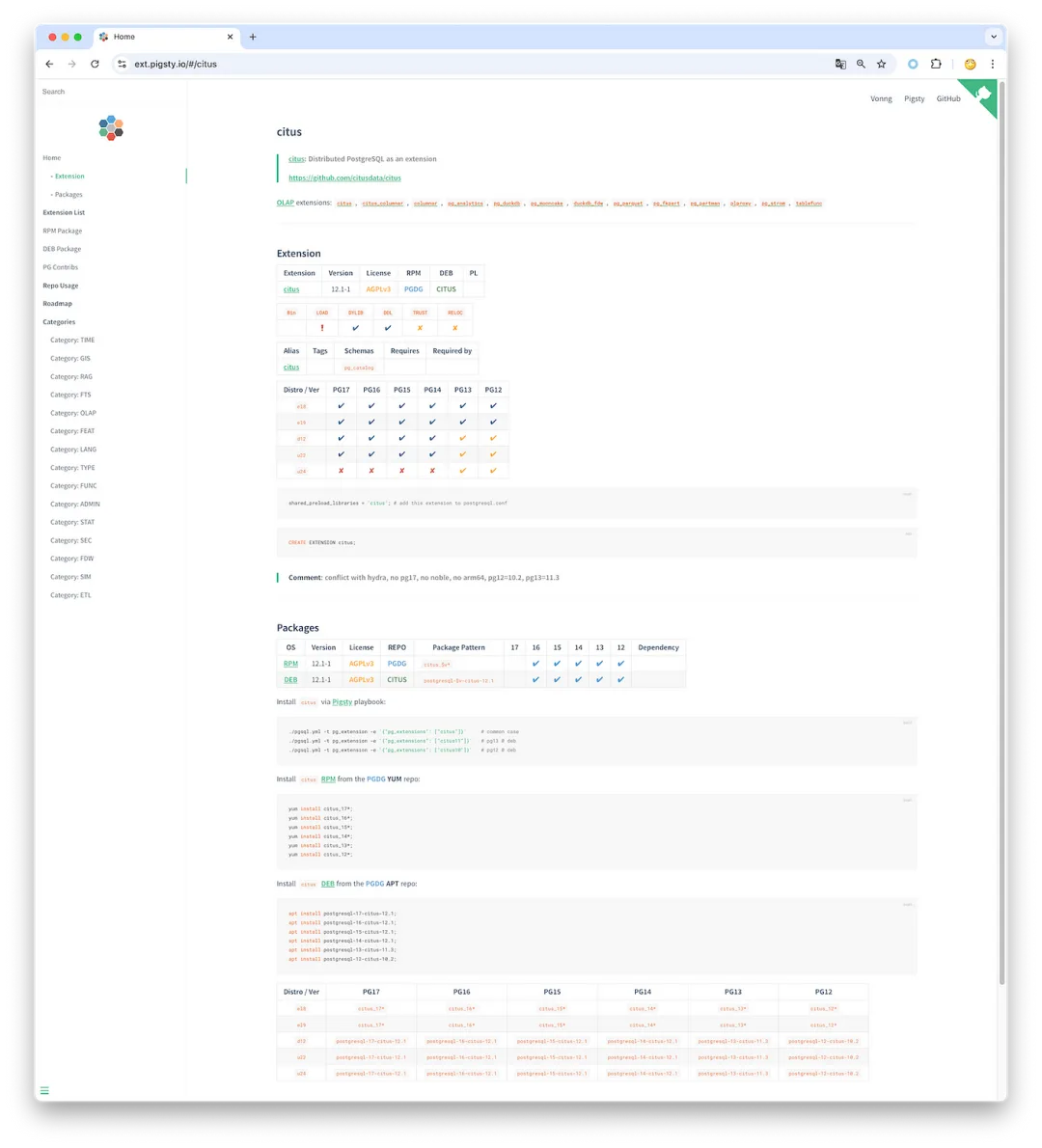
The second version: Docsify.
A Piglet Riding an Elephant: PIG, the Package Manager for PostgreSQL and Its Extensions
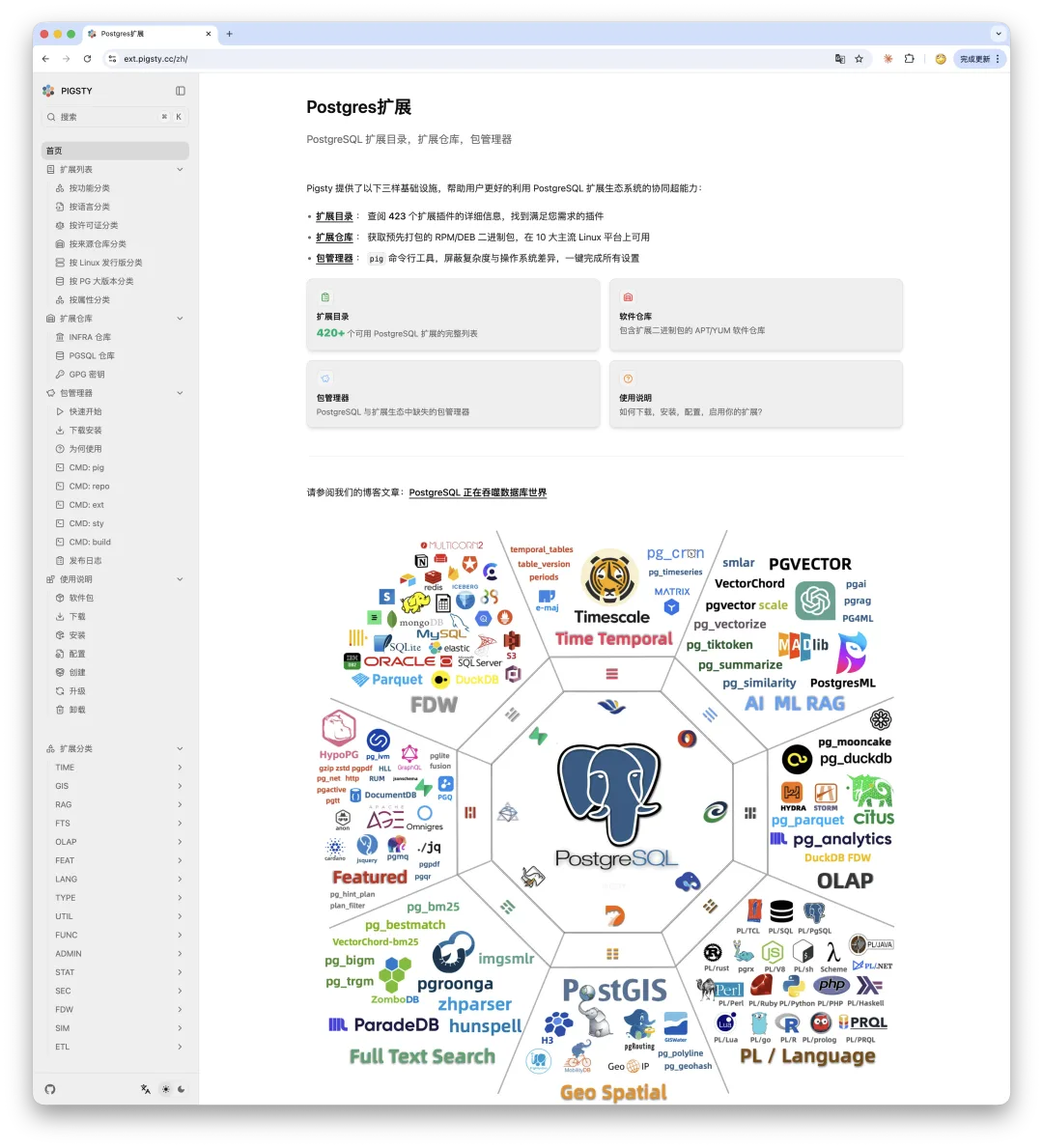
The third version: Next.js + Fumadocs.
A Database Veteran Ventures into the Modern Frontend Jungle (Chinese original)
Eventually, I got tired of all the hassles that come with dynamic sites and returned to a static one.
The fourth version: Hugo + Hextra.
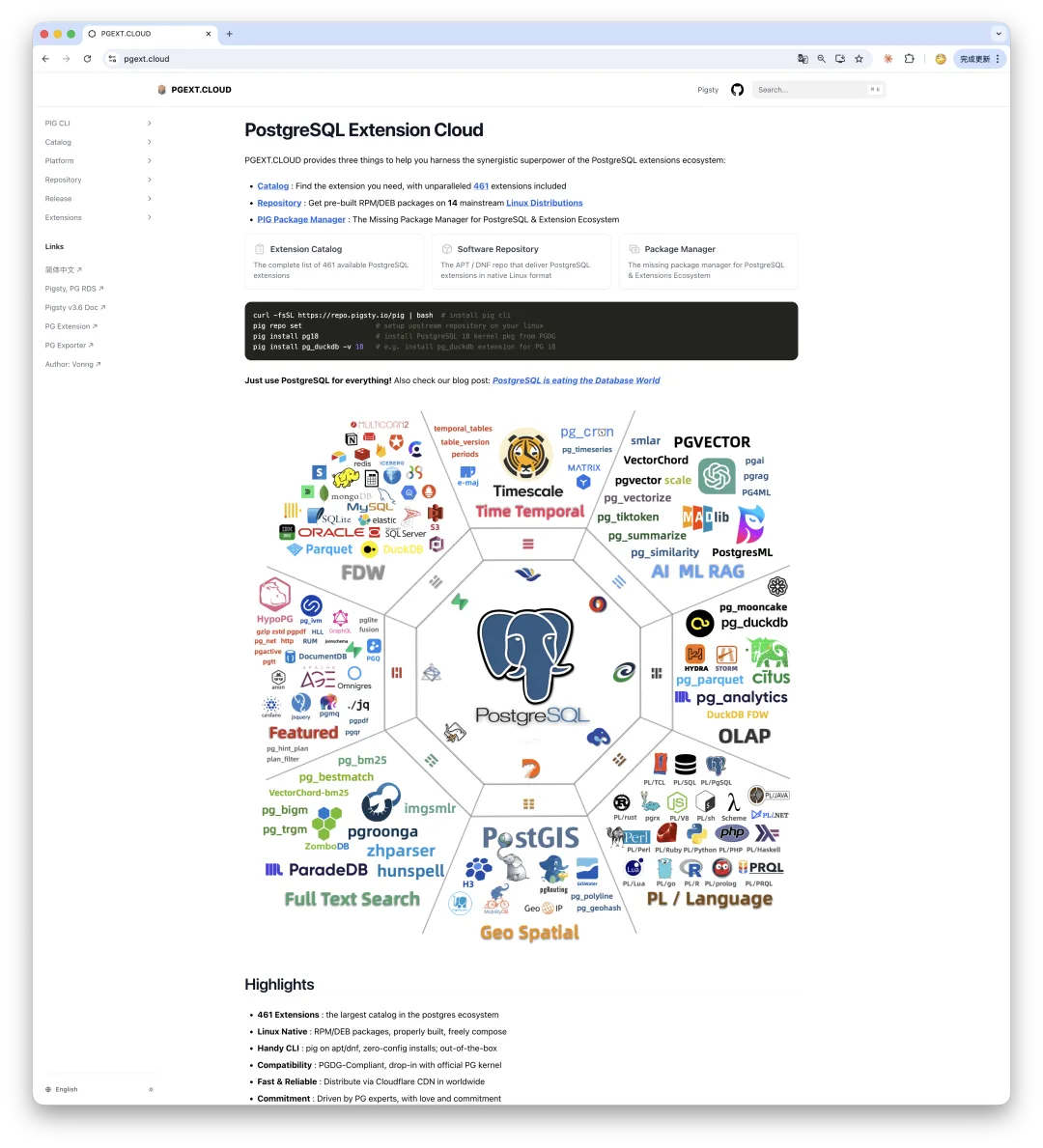
PG Extension Cloud: Unlock the Complete PostgreSQL Experience, Free and Without a VPN
Hextra is another lightweight theme in the same vein as Fumadocs. I like it a great deal. It is excellent for small projects, such as book translations, but starts to show its limits on a large documentation site. I still gladly use it for my books, tutorials, and smaller projects.
The fifth version: Hugo + Docsy.
The conclusion is simple:
If you are building a static documentation site, just use Hugo. Docsy is a Google-backed theme used by the Kubernetes and etcd documentation sites. Its fundamentals are solid, its search works well, its structure is clear, and it remains actively maintained. For a lightweight project, use Hextra; for a heavyweight one, use Docsy. If you need a content-rich dynamic site, Next.js is worth considering, but it can indeed be rather heavy.
I have used Hugo for nearly a decade, and it has never let me down. After trying so many new things, I discovered that the framework I chose six or seven years earlier was still the best fit. That seems to prove an old lesson: solid, boring technology is often the best technology. A website’s value does not come from how flashy it looks, but from whether the information inside it is worth reading. Content is still king.
Would the time spent on all this experimentation have been better used making video tutorials or writing hands-on case studies? Perhaps. But after making the full circuit, I now understand the available options, their trade-offs, and their limits—and I have sharpened my own web-design skills and taste along the way. That is valuable in itself.
Who can say for sure? Tinkering is half the fun.

Originally published in Chinese on vonng.com.